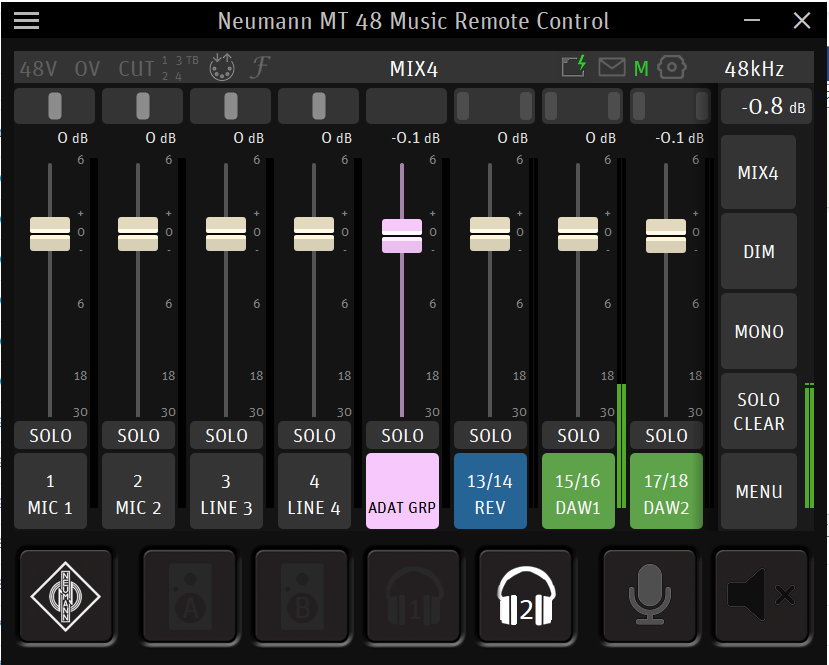
The MT 48 is loopback capable, by means of the DAW input channel and enabling bus return mixes.
All system audio (including streaming audio from a music program/browser) comes through the MT 48's DAW 1 channel by default.
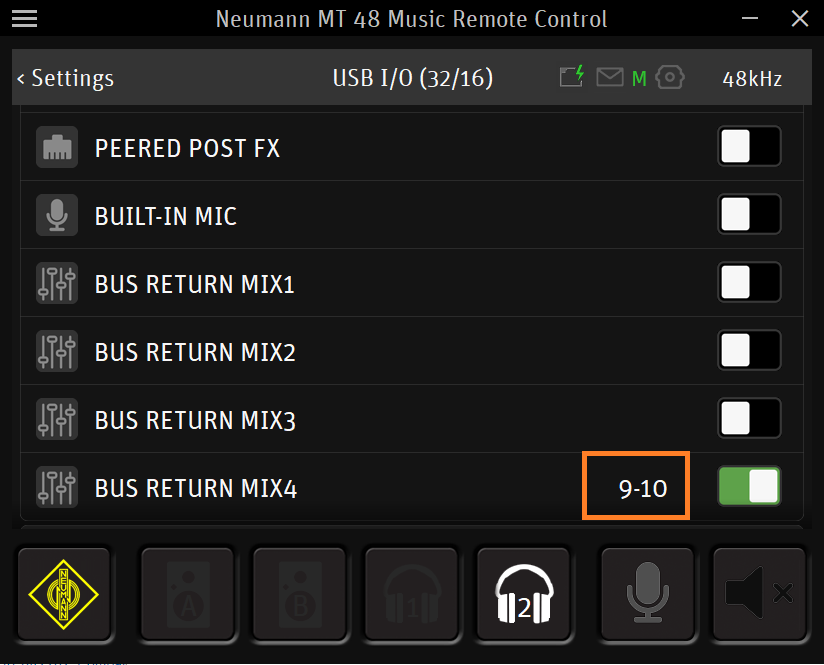
In Menu > Settings > USB IO, enable the Bus Return options for the appropriate mix you are monitoring.
Note the USB Channel Input pair number, which is what will be routed into the DAW on a track's input:
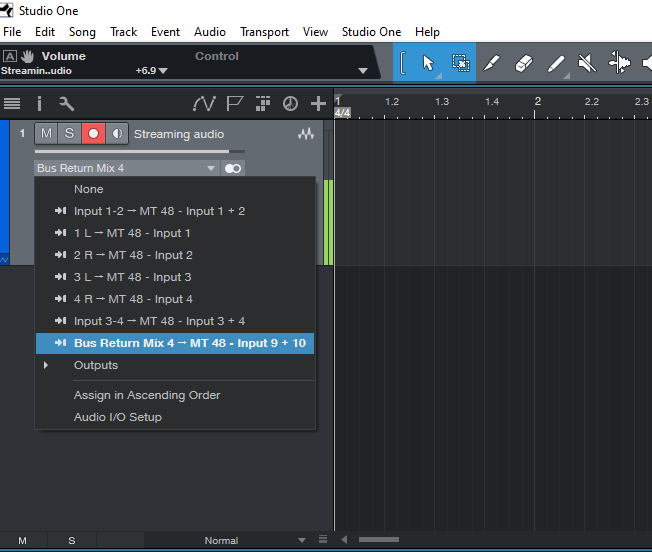
In the DAW, set the track's input channel to the above USB Channel input pair (9-10, in this case.)
DO NOT ENGAGE INPUT MONITORING on the track - this will cause a feedback loop with the direct monitoring already occurring whilst streaming in to the DAW 1 channel.
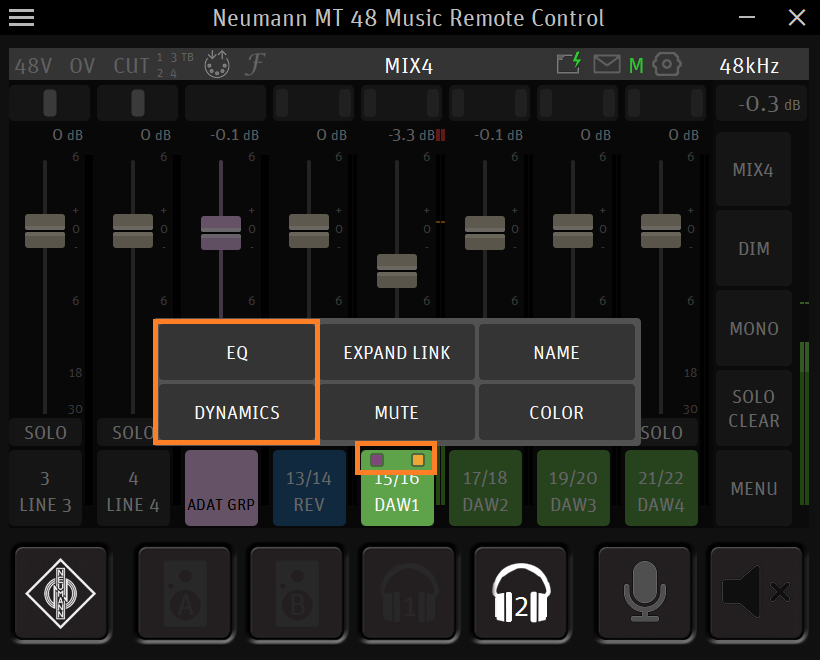
Any effects enabled on the DAW 1 channel (with the appropriate mix selected) will also be recorded in, including Bus Effects.